An afternoon of typing.
Thirty years of answers.
Most of the work is gathering costs you should have on file anyway.
-
Enter your numbers
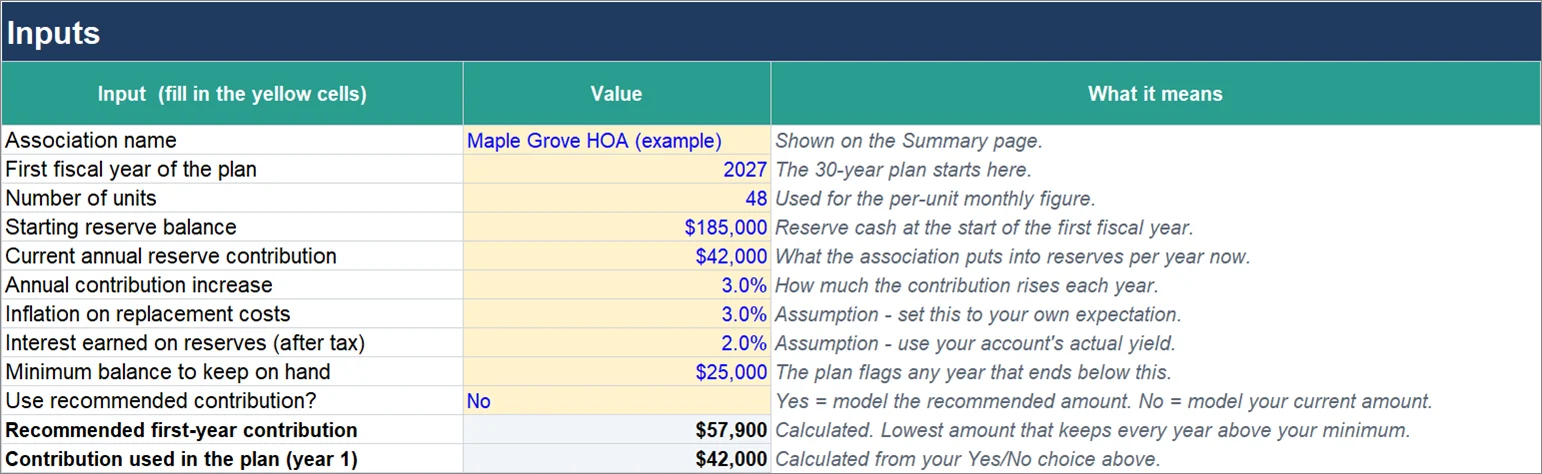
Reserve balance, current contribution, number of units, and what you expect for inflation and interest. Ten yellow cells.
AB5Number of units486Starting reserve balance$185,0007Annual reserve contribution$42,0009Inflation on replacement costs3.0%10Interest earned on reserves2.0% -
List what you own
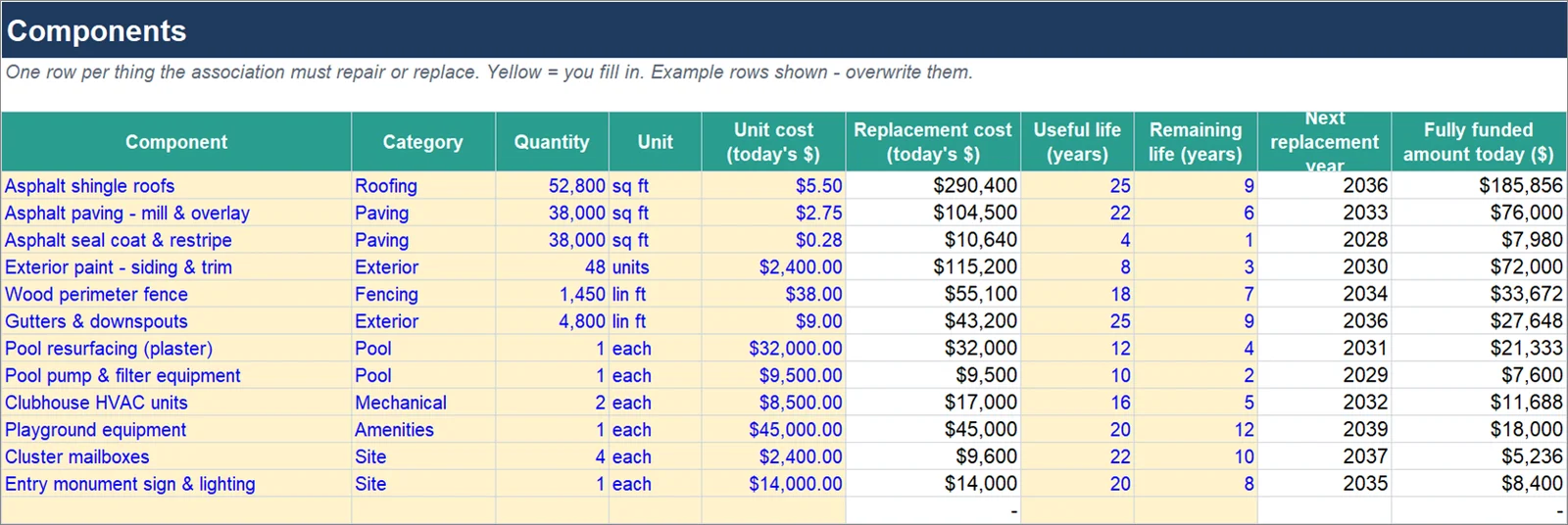
Roofs, paving, paint, fences, the pool: whatever the association must replace. For each one, the cost today, how long it lasts, and how many years it has left.
ComponentCost todayLifeLeft5Asphalt shingle roofs$290,4002596Paving, mill and overlay$104,5002268Exterior paint$115,200839Wood perimeter fence$55,10018711Pool resurfacing$32,000124 -
Read the plan
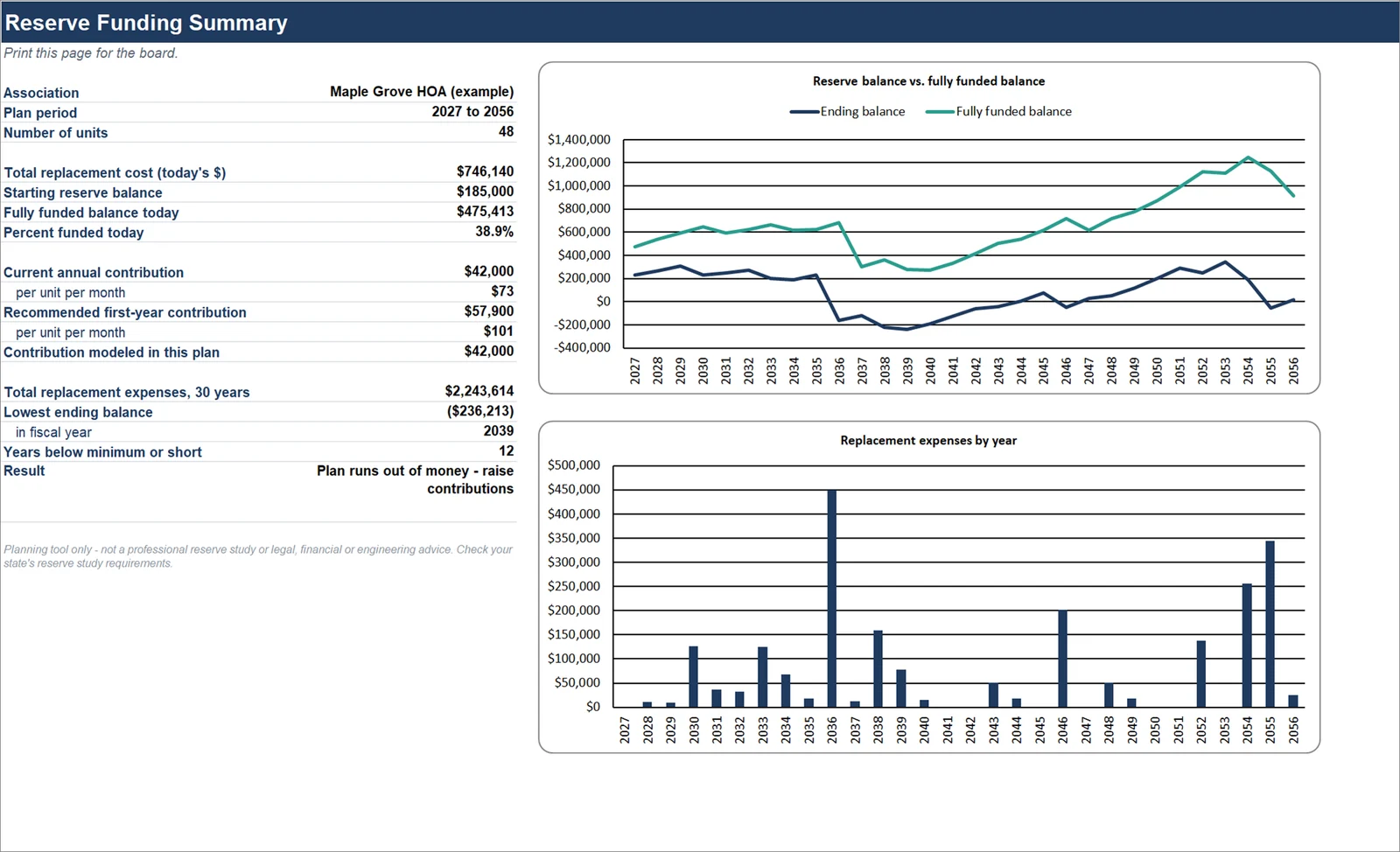
See all 30 years, the years you fall short, and the lowest contribution that fixes it. Print the one-page summary for the board.
Recommended first-year contribution
$57,900
$101 per unit per month, for the example association
Stays above the $25,000 minimum all 30 years.
The big bills don't
arrive evenly.
Roofs, paving and paint wear out on their own schedule, not your budget's. The workbook lays out every replacement for 30 years, so the expensive years stop being a surprise.
One workbook, eight tabs.
These are the real tabs, showing the example association that ships with it.
- 30-year funding planBalance, contribution, interest, expenses and percent funded for every year.
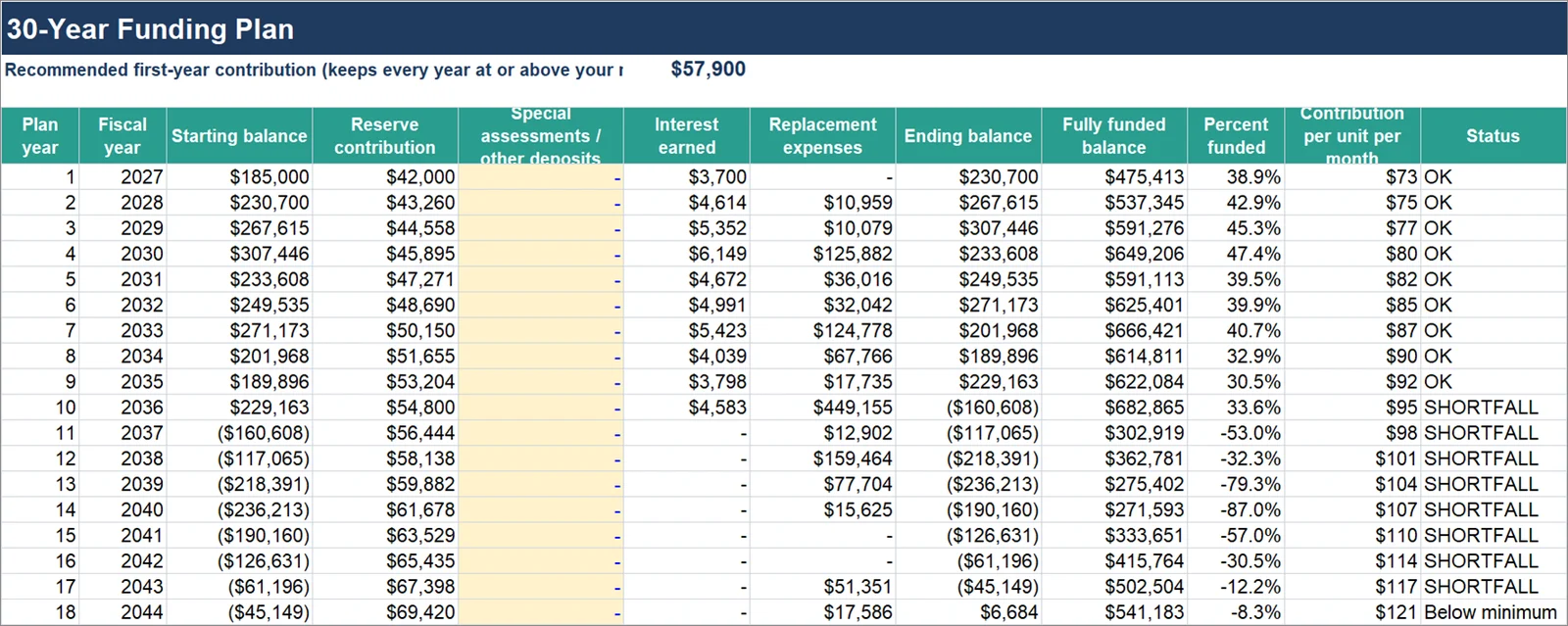
- Recommended contributionThe lowest amount that keeps every year above the minimum you set.
- 40 componentsWith typical lifespans for 29 common items to get you started.
- Start Here guidePlain instructions and an explanation of the math behind every tab.
Is it a fit?
Good fit
- Self-managed associations that want a funding plan without hiring a firm.
- Boards that want to update their own numbers between professional studies.
- Treasurers who need to show owners, on one page, whether dues are enough.
Not a fit
- Associations whose state law or governing documents require a study prepared by a credentialed professional or an on-site inspection. Check yours first.
- Buildings with structural or life-safety components that need an engineer's assessment.
- Boards that want someone else to gather the costs and do the work.
Get the workbook.
Pay once, download right away, reuse it every year.
- 30-year funding plan with percent funded for every year
- Calculated recommended contribution
- Printable one-page board summary with two charts
- Room for 40 components and yearly special assessments
- Example association filled in so you can see how it works
One-time. Licensed for one association.
Buy with PayPalCard or PayPal balance. After payment you go straight to the download page. Refunds within 14 days if it isn't right for you.
Questions
Is this a professional reserve study?
No. It is a planning tool you fill in yourself. It does the same core math a reserve study contains, but nobody inspects your property or vouches for your numbers. The result is only as good as the costs and lifespans you enter.
Does it meet my state's reserve study requirement?
It depends on your state. Rules vary: some states require a study at set intervals, and some require a qualified professional or a site visit. Read your state's statute and your governing documents, or ask your association's attorney, before relying on this for compliance.
What do I need to run it?
A recent desktop version of Microsoft Excel. It was built and tested in Excel. It has not been tested in Google Sheets or Apple Numbers.
How does the recommended contribution work?
It is the lowest first-year contribution, rising each year by the increase you choose, that keeps every year's ending balance at or above the minimum you set. Reserve professionals call this threshold funding.
Where do I get the costs and lifespans?
Contractor quotes are best. The workbook includes typical lifespan ranges for 29 common components as a starting point, and past invoices tell you what things cost last time.
Can I use it for more than one association?
Each purchase covers one association. Any board member or manager of that association can use it.
What if it isn't right for us?
Email hello@reservestudykit.com within 14 days for a refund.